
Inclusive Access
What is Inclusive Access?
Inclusive access is a purchase model where the cost of required digital course materials (like eTextbooks or courseware like Cengage MindTap or Pearson MyLab) is charged to your student account. This model offers cost-saving opportunities to students who are enrolled in Inclusive Access classes, and access to the digital material is offered directly through Canvas. Students who do not want to participate in the Inclusive Access model may choose to opt-out.

Inclusive Access Schedule

Before Term
Students are able to view and enroll in courses offered with Inclusive Access.

Start of Term
Students are able to access their Inclusive Access materials immediately on the first day of classes.

Opt-Out Window
During the first 2 weeks of the term, students can choose to opt-out of using Inclusive Access material.

Deadline
The deadline for opting out of Inclusive Access is 11:59PM on the second Friday of the term.
How to find out if your class uses Inclusive Access
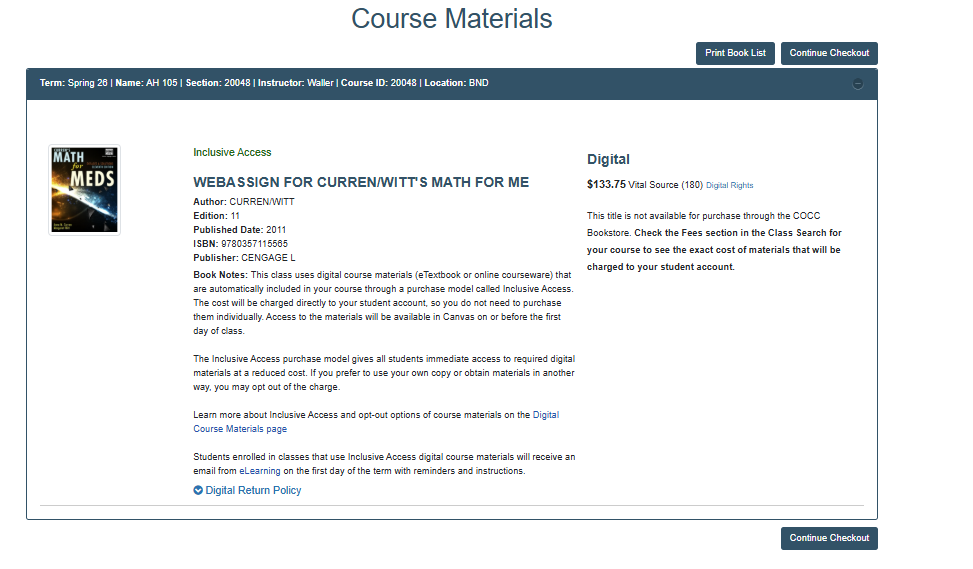
Bookstore Catalog: To see if your class uses Inclusive Access model, go to the Bookstore catalog and search for your class(s). If it’s an Inclusive Access class, it will be listed in the book notes, or it will show as a purchase option if it follows the standard model.
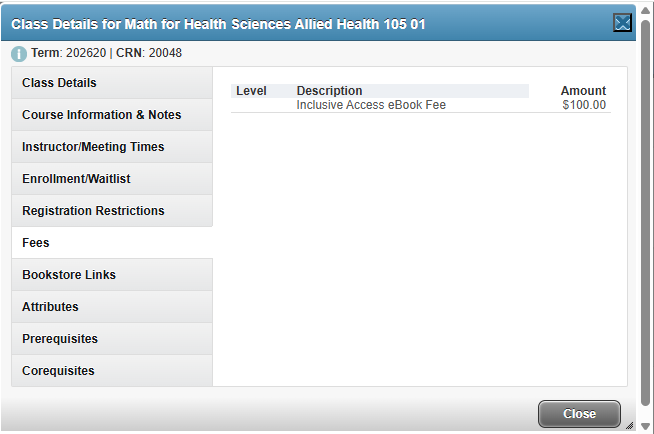
Class Search: When looking for classes in the Class search, you can see if a course is part of Inclusive Access by clicking on the course title to open the Course Details pop-up. The Fees section will display the Inclusive Access eBook Fee, showing the cost of Inclusive Access materials. Additionally, the 'COCC Campus Bookstore' link on the Bookstore Links section will take you to the bookstore catalog.
Email: If you are in an Inclusive Access class, you will receive an email after the term
starts. The email will explain what Inclusive Access is and how to opt out if you
don't want to the digital material cost charged to your account as a fee.
Opting Out of Inclusive Access
You might want to opt out of an Inclusive Access digital course material purchase if you already have the required course materials or you are using the same materials in another class.
To opt out, go to the VitalSource Digital Materials link in Canvas. Choose the class that uses the materials you want to opt out of, then select Opt Out and follow the prompts before the deadline of 11:59PM on the second Friday of the term.
Refund process
If you opted out of an Inclusive Access purchase, the Bookstore will let the Cashiers
Office know, after the opt-out deadline, so they can remove the Inclusive Access digital
course material fee from your account. Refunds will be processed for students who
opt out.
How to access Inclusive Access materials
You can access your digital materials through your Canvas course. The location of the link may vary depending on the publisher or how your instructor has integrated the materials into Canvas.
Modules: Your instructor may have placed a link for the eTextbook, or individual assignment links may direct you to the courseware.
VitalSource Student Course Dashboard : Some eTextbooks can be accessed through the VitalSource Dashboard.
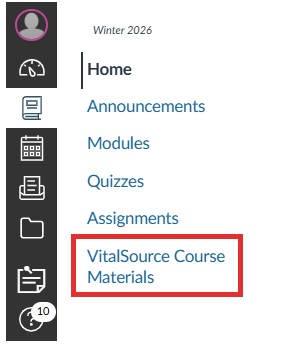
1. Open VitalSource Course Materials on the course menu.
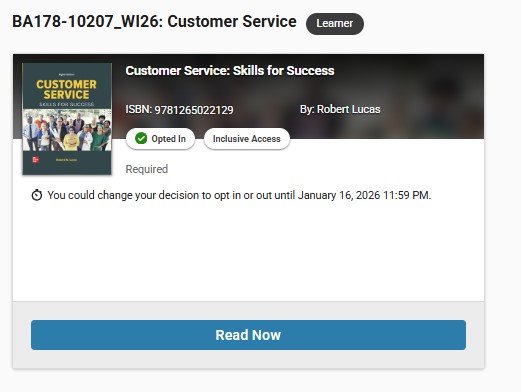
2. Your Inclusive Access titles will be displayed on the Dashboard. If the 'Read Now' button is available, you can access the eTextbook directly from there. Otherwise, you can find access to your inclusive access course material from publisher links in the Modules area of your course.
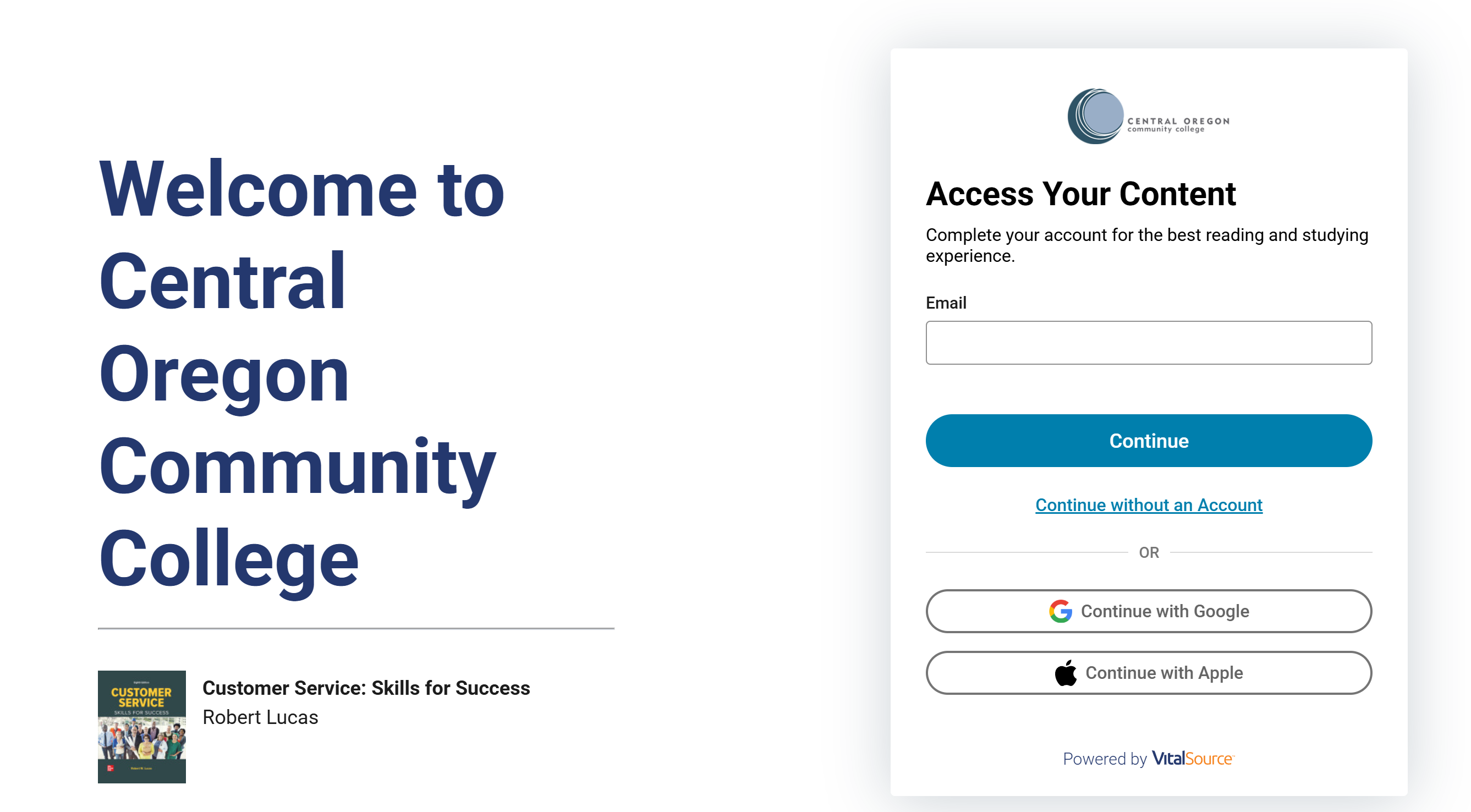
3. The first time you click 'Read Now', you will be directed to the VitalSource account creation page.
Once you create an account, you will be able to read your eTextbook online or offline using the VitalSource Bookshelf app outside of Canvas. Available on Apple Store | Google Play | Microsoft Store .
Contact Us
Question About Purchase
Bookstore
541-383-7570
Bookstore Contact Us Page
Question About Access in Canvas
eLearning & Academic Technology
541-383-7785
elearning@cocc.edu