
How to Reset Chrome Security Settings
If Bobcat Web is blocked in Chrome, the tabs show as rounded with a heavy outline, and when you click on them, they don’t do anything.
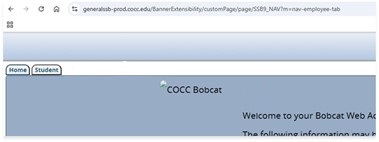
To reset the “block” selection, you need to click on the ‘View site information’ icon shown below.

Next, click ‘Reset permissions’ (for this site only).
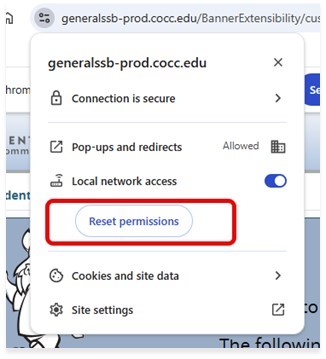
When you click away from the menu, a pop-up message will appear (shown below). Click Reload.

Reloading the page re-shares the pop-up message. This time, click ‘Allow’.
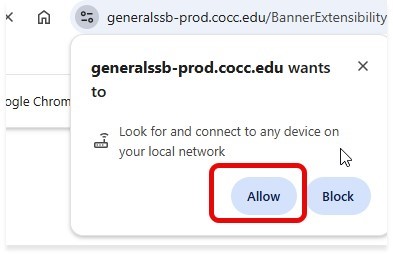
The page will be refreshed and Bobcat will once again show normally.